|
Welcome to Software Laboratory of Antillia.com. Future Windows Programming |
||||||||||
|
Home
Support
|
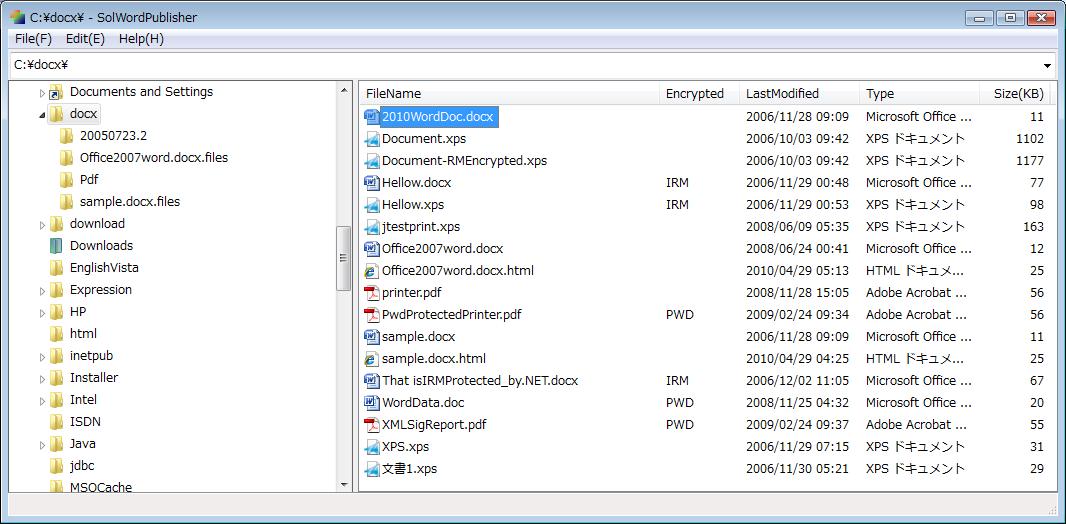
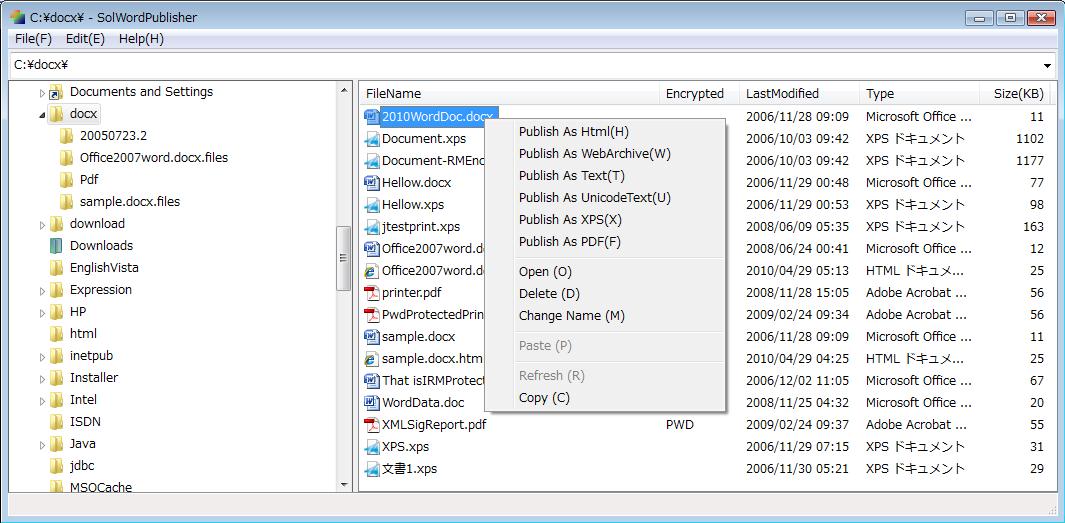
1 What is SolZiilets?SolZiilets is a collection of Office Application utility programs developed by using SOL9 C++ class library.SolZiilets runs with Office 2007 (or later version) Application on the Windows 7, Vista, XP, Windows Server 2003 and 2008. You can download the latest SolZiilets (Updated: 30 Apr 2010): (SolZiilets.zip 586KB 2010/04/30) Currently, the following programs are available. 2 SolWordPublisher2.1 SolWordPublisherSolWordPublisher is a Windows GUI tool to publish an Office Word file as a file of a format of 'Html', 'Text', 'XPS' or 'PDF'.See Figures 2-1 and 2-2. 2.2 DownloadYou can download the latest SolWordPublisher 1.0.0.1(NEW: 29 Apr 2010) : (SolWordPublisher.zip)2.3 How to use it1. Run SolWordPublisher program in your desktop, and you'll get a Windows-Explorer like window. See Figure 2-1.2. Select a drive or folder in the left pane of the window. 3. Select files to publish in the right pane of the window. 4. Click the mouse right-button in the right pane of the window, and a context menu will be shown. See Figure 2-2. 5. Select [Publish As 'something'] item of the context menu. Figure 2-1 SolWordPublisher
Figure 2-2 SolWordPublisher ContextMenu
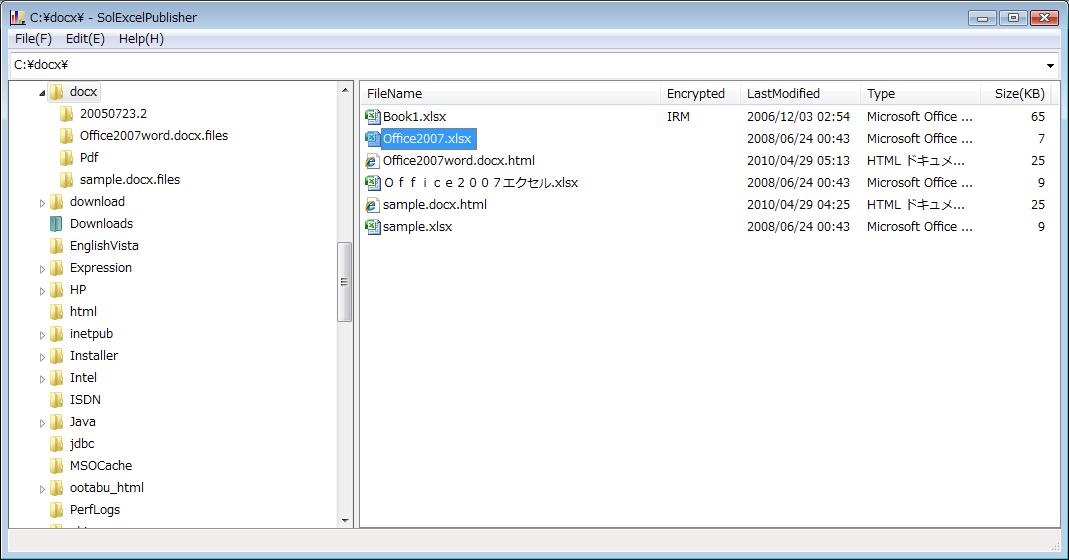
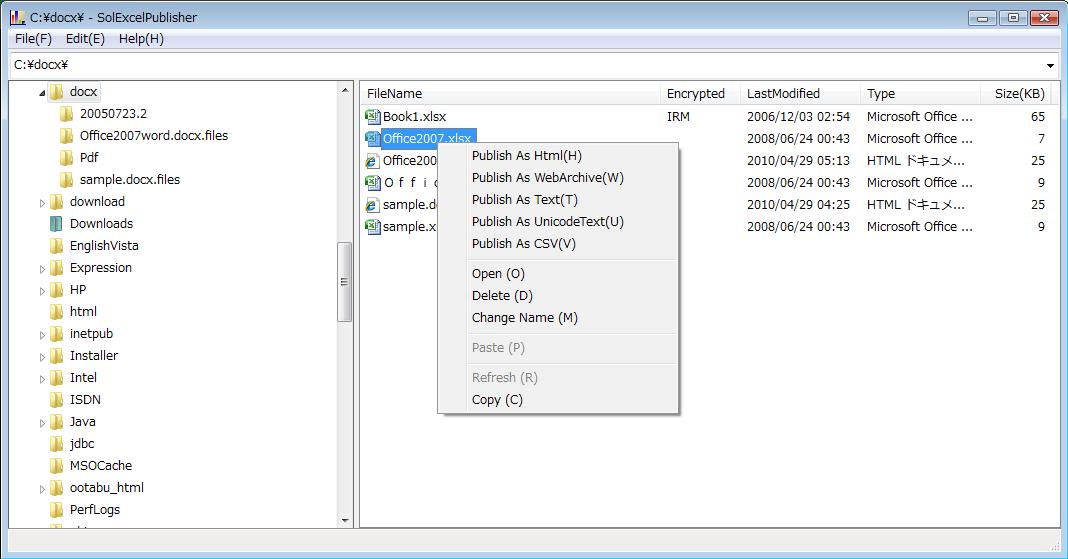
3 SolExcelPublisher3.1 SolExcelPublisherSolExcelPublisher is a Windows GUI tool to publish an Office Excel file as a file of a format of 'Html', 'Text' or 'CSV'.See Figures 3-1 and 3-2. 3.2 DownloadYou can download the latest SolExcelPublisher 1.0.0.1(NEW: 29 Apr 2010): (SolExcelPublisher.zip)3.3 How to use it1. Run SolExcelPublisher program in your desktop, and you'll get a Windows-Explorer like window. See Figure 3-1.2. Select a drive or folder in the left pane of the window. 3. Select files to publish in the right pane of the window. 4. Click the mouse right-button in the right pane of the window, and a context menu will be shown. See Figure 3-2. 5. Select [Publish As 'something'] item of the context menu. Figure 3-1 SolExcelPublisher
Figure 3-2 SolExcelPublisher ContextMenu
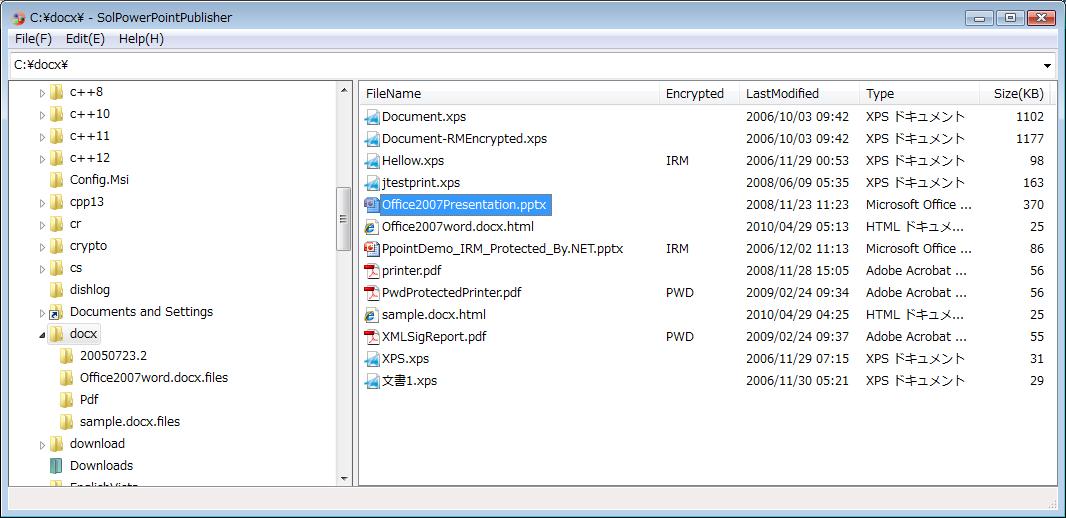
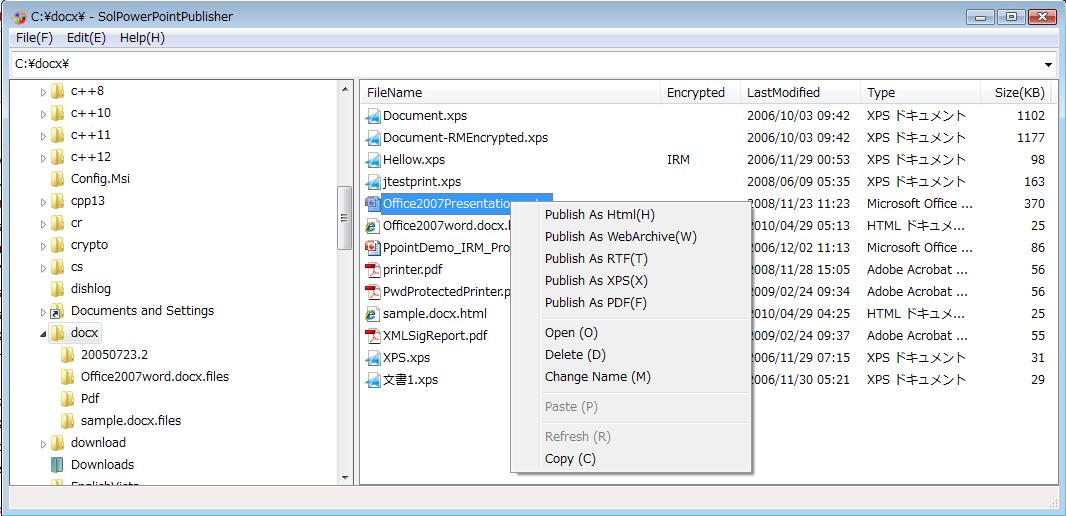
4 SolPowerPointPublisher4.1 SolPowerPointPublisherSolPowerPointPublisher is a Windows GUI tool to publish an Office PowerPoint file as a file of a format of 'Html', 'RTF', 'XPS' or 'PDF'.See Figures 4-1 and 4-2. 4.2 DownloadYou can download the latest SolPowerPointPublisher 1.0.0.1(NEW: 30 Apr 2010): (SolPowerPointPublisher.zip)4.3 How to use it1. Run SolPowerPointPublisher program in your desktop, and you'll get a Windows-Explorer like window. See Figure 4-1.2. Select a drive or folder in the left pane of the window. 3. Select files to publish in the right pane of the window. 4. Click the mouse right-button in the right pane of the window, and a context menu will be shown. See Figure 4-2. 5. Select [Publish As 'something'] item of the context menu. Figure 4-1 SolPowerPointPublisher
Figure 4-2 SolPowerPointPublisher ContextMenu
Last modified: 7 May 2010 |